GADNET - Next-Generation Security.
Just plug in to protect your home, family, and business.
75% of all observed IoT cyberattacks now target home and small-business routers — Zscaler ThreatLabz, 2025.
GADNET is a digital shield for your home and office, turning ordinary WiFi into a fortress. It protects your family and children from online threats and criminals. It's not just another router – it's an intelligent guardian that segments and isolates devices before threats reach your data. By default it assumes every device on your network could be compromised — that's what we mean by "Zero Trust": no implicit trust, every connection checked.
For specialists
Who Benefits?
Modern Families
- Isolate unsecured IoT/Smart devices
- Chromecast / AirPlay / HomeKit / Spotify Connect still work across zones
- Parental Control & Content Filters
- Guest Network with speed limits
Privacy Advocates
- Block telemetry & tracking 24/7
- Encrypted DNS-over-HTTPS (DoH)
- 100% Local Logs (No Cloud)
Small Business
- Segregate POS & Payment Terminals
- Ransomware mitigation barriers
- VoIP & Conference prioritization
High-Risk Pros
- Protect Client/Source confidentiality
- Secure remote access (No 3rd party)
- Tamper-proof activity logs
Why Choose GADNET?
Zero Trust by Default
New devices land in isolation until you approve them. No more "anyone-on-WiFi sees everything".
Dual-Factor Admin Auth
Log in with a hardware key or fingerprint. Daily access goes through a device certificate; WebAuthn covers recovery and mobile.
GDPR by Design
Your data stays on the device. One-command export and erasure for any user — Articles 15 and 17 built in.
Streamlined Setup
Flash an SD card with balenaEtcher, plug in, and the captive portal opens automatically. ~15 minutes if you already have a FIDO2 key.
Open Source
Every line is public. No hidden telemetry, no obfuscation, no backdoors — and you can audit it yourself.
Supply Chain Transparency
Every release ships with a full ingredient list (SBOM) — like the label on a food product. Ready for the EU Cyber Resilience Act (Regulation 2024/2847, main obligations from 11 Dec 2027).
Protect Kids
DNS-level blocking for ads, malware, and adult content. Per-zone parental profiles you can age-tune.
Protect Business
Separate the work laptop, the point-of-sale terminal, and the IoT camera into different zones. A breach in one cannot jump to the others.
Internal Certificate Authority
GADNET issues its own certificates — for the admin panel, for each enrolled device, and for service-to-service mTLS. No external CA needed.
Quantum-Safe TLS
Tomorrow's quantum computers will be able to break today's encryption — but sessions encrypted with GADNET stay safe. Hybrid PQC is on by default.
Active Threat Monitoring
Rule-based port-scan detection, signature-based DNS filtering (UT1 lists + RPZ), and ML-based network-flow anomaly detection (IsolationForest). No vague "AI" claims — exactly what is and isn't machine-learned.
Universal Captive Portal
The setup page pops up on its own — iPhone, Android, Windows, macOS. The same way hotel WiFi greets you. RFC 8908 compliant.
Multi-Tier Backup
Your config is kept in four places: on the SD card, in a local snapshot, on a remote SSH server, and in S3. Cryptographically signed.
QR Code Onboarding
Scan a QR code with the new device — done. No fiddling with IP addresses, no copy-paste of long tokens.
Live Network Map
See every connected device, its zone, and what it's actually talking to. Real-time, not nightly snapshots.
Threat Dashboard
A single 0–100 score plus a feed of what triggered it. No security degree required to know whether something's wrong.
Transparent Update Path
Manual `apk upgrade` today, with Alpine LBU snapshots as a safety net. Auto-update daemon is on the roadmap for v1.0.
Localized Interface
Native English and Polish UI throughout — admin panel, captive portal, error messages. More languages welcome via community PRs.
Inside the admin panel — navigation skeleton
What's actually inside, grouped by purpose. The exact UI is still evolving in Phase B — these are the areas that ship today.
OVERVIEW
What's happening right now
- Dashboard
- Network Map
- Activity & Audit
NETWORK
What's connected and where
- Devices
- Zones
- WiFi configuration
- Smart-home / mDNS
POLICY
What can talk to what
- Connection Rules
- Domain Filtering
- Sessions
IDENTITY & CRYPTO
Who's who, and how they're protected
- Users
- Credentials (WebAuthn)
- Certificates
- PQC Status
- Recovery & Escrow
Tomorrow's quantum attack — blocked today
When sufficiently large quantum computers arrive, they will be able to break the encryption that protects today's internet. That means the data you send right now — passwords, conversations, banking, medical records — could be recorded by an attacker today and decrypted in 10–20 years, when that hardware arrives. GADNET uses new **quantum-resistant algorithms today**, side by side with the classical ones. Your sessions stay safe even if someone is recording them right now, waiting for tomorrow's hardware.
For specialists
X25519MLKEM768 (IANA codepoint 0x11ec) + SecP256r1MLKEM768 (0x11eb) per FIPS 203 ML-KEM-768. Active by default on admin.gadnet; group fallback to X25519 / secp384r1 / secp256r1 per RFC 8446 §4.2.8 if the client lacks PQC. Backed by OpenSSL 3.5+ and Python 3.14 stdlib ssl.SSLObject.group() telemetry (per-handshake hybrid_pqc audit field). Parallel ML-DSA-65 (FIPS 204) Root + Intermediate CA + server leaf on admin-pq.gadnet, opt-in via PQ_LISTENER_ENABLED until major browsers ship ML-DSA validators. ML-KEM-768 + hybrid HKDF substrate ready for Signal X3DH (Phase B).Encrypted DNS — your queries no one can spy on
Every time you open a website, your device first looks up its address — a bit like flipping through a phone book. On most home networks that lookup is sent in the open: your internet provider, the coffee-shop WiFi, anyone sitting on the same network can read the full list of places your device looked up. GADNET seals every lookup inside an encrypted envelope by default, using three standards — DoH, DoT, and DoQ — depending on who is asking and where the answer has to travel. Nothing to switch on, nothing extra to pay for.
DoH — DNS-over-HTTPS
What it is: Wraps the lookup inside an ordinary HTTPS connection — the same kind your bank uses. To the rest of the network it looks like one more web request among many.
Example: Your laptop sends each DNS lookup to GADNET inside an HTTPS connection. Any other device on the same WiFi — a guest device, a misbehaving IoT gadget, a compromised smart speaker — just sees an encrypted connection to the router. The lookup names are invisible to them.
More details
Why it helps: DoH is the hardest of the three to identify and block at the network level. Networks that filter DoT (port 853) cannot easily do the same to DoH without breaking ordinary HTTPS browsing too.
Without it: Every name your device looks up is sent in plaintext on port 53. Anyone on the same network — a neighbour, a hotel admin, a captive portal — can keep a detailed log of everywhere your device looked, with timestamps.
DoT — DNS-over-TLS
What it is: A dedicated encrypted tunnel reserved just for DNS, on its own port. GADNET uses this tunnel to talk to trusted public resolvers — Cloudflare, Google, Quad9 — and checks their certificate against the expected hostname before sending a single query.
Example: When GADNET needs an address it does not already have cached, it asks Cloudflare through this tunnel. Your provider sees only that the router contacted Cloudflare — not which names the queries were about.
More details
Why it helps: If the upstream certificate does not match the expected resolver, GADNET refuses to query. There is no quiet downgrade to plaintext DNS — a forged reply cannot slip in.
Without it: Your provider can read and rewrite every DNS answer the router asks for. That is exactly how many ISPs inject ads into error pages or redirect typos to their own search engine.
DoQ — DNS-over-QUIC
What it is: The same idea as DoT — encrypted DNS — but carried over QUIC, a newer transport built on UDP. Many lookups can travel in parallel without queueing behind each other, and the secure session survives short network changes instead of starting over.
Example: When a single page kicks off dozens of DNS lookups at once for trackers, fonts, and embedded content, DoQ lets each lookup travel in its own QUIC stream. A slow lookup does not hold up the others — they finish independently.
More details
Why it helps: When the client's network path changes — roaming between WiFi access points, a brief disconnect, waking from sleep — the secure DNS channel survives the move. With DoT or DoH the handshake has to start over after the IP rebinds.
Without it: A single slow lookup can stall the others queued behind it on the same TCP connection. And every time the connection drops, DoT and DoH have to redo the full TCP and TLS handshake before any lookup can go through.
For specialists
/dns-query endpoint with the application/dns-message media type and ALPN h2, applying RFC 8467 message padding to defeat traffic-analysis side channels. It serves DoQ per RFC 9250 on UDP port 853 with ALPN doq, one stream per query, and the standard two-octet length prefix. Outbound to public resolvers the router uses DoT per RFC 7858 and RFC 8310 in the Strict profile with Authentication Domain Name binding, plus EDNS0 keepalive per RFC 7828. Posture is fail-closed: if the encrypted upstream cannot be reached, queries are refused — there is no silent downgrade to plaintext DNS. Encrypted-resolver discovery follows RFC 9462 (SVCB lookup at _dns.resolver.arpa.) and RFC 9463 (DHCPv4 option 145; the IPv6 RA option ships once full IPv6 enablement lands). Server certificates come from the internal PKI so LAN clients reuse the trust anchor they already hold. TLS floor is TLS 1.2 minimum across every encrypted-DNS surface, with TLS 1.3 preferred wherever the resolver supports it. Each listener is bound per zone — no wildcard 0.0.0.0 or :: exposure.GADNET vs Traditional Router
Across 5 categories — security, auth, privacy, network, updates
| Feature | Consumer ISP router | Advanced router | GADNET Zero Trust |
|---|---|---|---|
| Security & Cryptography | |||
| These rows are about how GADNET encrypts and protects your data — more green in the right column means stronger crypto. | |||
| TLS encryption | TLS 1.2 with RSA-2048 (legacy) | TLS 1.3 classical | Hybrid TLS 1.3 with X25519MLKEM768 (post-quantum today) |
| Certificate authority | Vendor pre-loaded, often expired | Self-signed or manual Let's Encrypt | Internal CA + parallel ML-DSA-65 PKI |
| Password storage | Often plaintext, MD5 or SHA-1 in legacy units; default credentials the bigger issue | bcrypt or scrypt | Argon2id (memory-hard, tuned for RPi5; exceeds OWASP baseline) |
| WAN attack surface | WAN admin often reachable on legacy units; TR-069 ACS on others | Closed by default | Default deny on every WAN port |
| Authentication & Privacy | |||
| Who can log in, how, and what happens to your data. | |||
| Admin login | Password printed on a label (banned for new UK devices under PSTI Act 2024) | Password + optional 2FA | WebAuthn AAL2 + mTLS device certificate (dual-factor) |
| Recovery flow | Factory reset only | Recovery code + cloud backup | WebAuthn alt-path + signed backup restore |
| Telemetry | Vendor cloud, often opaque or with limited opt-out | Optional opt-out (still collected) | Zero outgoing telemetry by default |
| GDPR DSAR | Email vendor support (slow) | Export config manually | One-command DSAR export + Article 17 erasure |
| Network architecture | |||
| How devices on your network see each other — or don't — so that one compromised gadget can't reach the rest. | |||
| Network segmentation | Single flat LAN | VLANs supported up to vendor limit; manual setup | 6 default Zero Trust zones + unlimited custom |
| IoT device isolation | Same network as personal devices | VLAN possible, configured manually | Dedicated IoT zone, limited internet, no inter-zone |
| Smart-home discovery across zones | Same flat LAN — everything talks to everything (insecure) | Manual static routes or IGMP proxy per receiver — fragile, hostname-only | Selective mDNS bridging — your phone in Trusted finds the Chromecast in IoT, but a compromised smart bulb cannot scan your laptop |
| New device default | Instant full network access | Full access after Wi-Fi join | Quarantine in isolation zone until you approve |
| Captive portal | Vendor-specific redirect (often broken) | Configurable, varies | RFC 8908 + byte-exact Apple / Android / Windows probes |
| Observability & monitoring | |||
| Whether you can actually see what is happening on your network — and prove it later if something goes wrong. | |||
| Network map | Static device list | Real-time topology | Real-time topology + traffic flow + zone membership |
| Threat detection | None | Optional IDS / IPS subscription | Rule-based port scan + ML network-flow anomaly detection |
| Audit logs | Reset on reboot or weekly | Syslog export to external server | Structured JSONL, 90d auth + extended security retention |
| Updates & ownership | |||
| Who controls the device after you buy it — and how long it keeps getting security fixes. | |||
| Update lifecycle | Typically 2-5 years; EoL often quiet | Updates while you pay maintenance | Open source — community can fork forever |
| Backup | None or single config file | Local or cloud controller (vendor-specific) | 4-tier: LBU apkovl + snapshot + SSH + S3 (signed) |
| Supply chain transparency | Closed firmware blob | Release notes only | CycloneDX (1.5/1.6, ECMA-424) SBOM per artifact + public audit reports |
| Hardware ownership | Vendor-locked, no root | Limited root, vendor enclosure | Full root on standard Raspberry Pi 5 |
| Total 5-year cost | $80-150 if purchased; $600-900 if rented from ISP | $200-500 hardware + cloud subscription | ~$100-120 starter kit (Pi 5 + 27 W PSU + active-cooling case + microSD); optional +$45 NVMe upgrade for 24/7 use; $0 software forever |
The Hidden Danger
Router security threats explained
The Hidden Danger
It's 2026. Your phone updates weekly, but Censys 2024 internet-wide scans show a large fraction of home routers still run firmware from 2020 or earlier. It trusts every device that connects, becoming the weakest link in your digital life.
The average home now has 20+ connected devices, and smart-home power users easily pass 35 (Bitdefender + Netgear 2025). If one is outdated, it opens a backdoor to your entire network.
The Castle & Moat Failure
Traditional routers assume "inside is safe". But once a hacker breaches your smart bulb — like the Philips Hue Zigbee bridge takeover Check Point disclosed in 2020 (CVE-2020-6007) — they bypass the firewall entirely. This is called Lateral Movement.
They don't attack your PC directly. They enter through a TV or a bulb, then jump to your laptop. In Feb 2024 CISA documented the same pattern at nation-state scale: the "Volt Typhoon" actors used compromised SOHO routers as pivots into target networks (advisory AA24-038A).
The IoT Botnet Reality
Cheap smart cameras and plugs ship with default credentials and unpatched CVEs. Once such a device hits the internet, botnets like Mirai and Aisuru (2024-2025) can scan and enroll it within hours, sometimes minutes. Over half of IoT devices ship with known vulnerabilities (Forescout Vedere Labs 2024 Riskiest Connected Devices).
Once infected, they become spies in your living room, recording audio and launching attacks on others without you knowing.
The Home Office Risk
Your corporate laptop sits on the same WiFi as your child's tablet and smart TV. A malware infections from a "free game" your kid downloaded can easily jump to your work device, bypassing the VPN entirely.
Sensitive documents and client data stored locally are at risk. Without network isolation, a compromised smart bulb or game console could read your files, encrypt them (ransomware), or use your laptop as a bridge to attack your company.
What is Zero Trust?
(And Why It Changes Everything)
The Simple Explanation
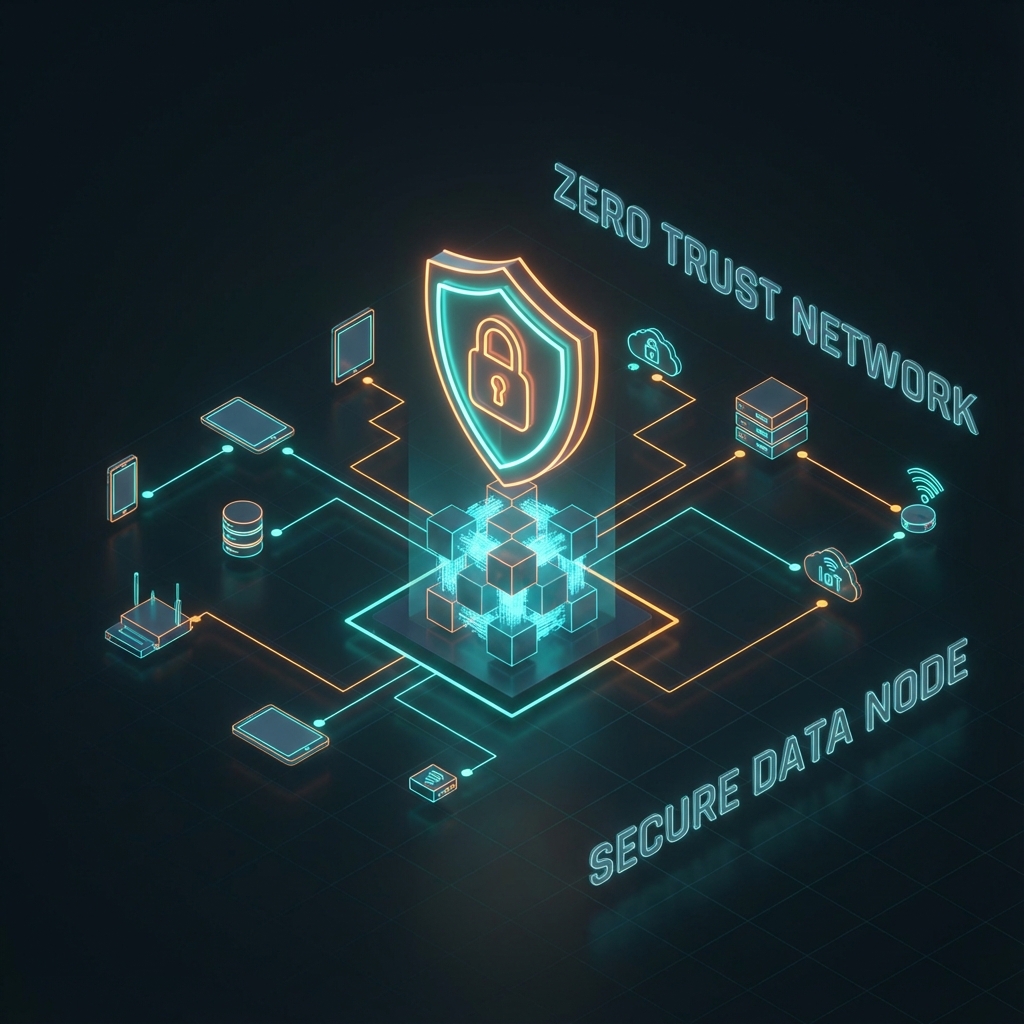
Imagine your network as a hotel. A traditional router gives every guest a master key that opens every room. Once you're in the building, you can go anywhere.
GADNET works differently. It gives each guest a keycard that only opens their specific room. Even if someone steals a keycard, they can only access one room—not the entire hotel.
Default Deny
Block by Default. Whitelist-only access prevents unauthorized connections.
Continuous Verification
Never Trust, Always Verify. Every request is re-authenticated in real-time.
Least Privilege
Minimal Access. Users access only the specific resources they need.
Micro-Segmentation
Contain Breaches. Network divided into isolated, firewalled zones.
Restricted Access
Hardened Perimeter. External ports open only to specific, verified IPs.
Monitoring & Alerts
Full Visibility. Real-time traffic analysis and active intrusion detection.
Why this matters — the numbers
Verifiable industry research, not vendor claims

Network Zones
Isolated
New devices
No accessTrusted
Main devices
Full accessIoT
Smart devices
LimitedGuest
Visitors
Internet onlyAdmin
Dashboard access
Full controlCustom
Build as needed
FlexibleTechnical Specifications
Hardware
| Device | Raspberry Pi 5 (4 GB or 8 GB) |
| Power | Official 27 W USB-C PSU (third-party chargers cause brownouts under network load) |
| Cooling | Active cooling case required — Pi 5 thermally throttles without it |
| Storage — minimum | 32 GB Class A2 microSD — works, but Redis AOF + audit-log rotation wear the card; expect replacement every 12-24 months under heavy use |
| Storage — recommended | NVMe HAT (Pimoroni / Geekworm / 52Pi) + 256 GB NVMe SSD — 5+ year lifespan, faster boot, immune to SD wear |
| Network | 2× Ethernet (WAN + LAN) + optional WiFi 6 |
| Kernel | linux-rpi 6.12 LTS |
Operating System
| Distribution | Alpine Linux 3.23 (ARM64) |
| Edge pins | OpenSSL 3.5+ (PQC), Python 3.14+, Redis 8 (extended ACL categories) |
| Init | OpenRC, single-worker uvicorn |
| Persistence | Alpine LBU apkovl + /data partition |
Authentication
| Admin login | W3C WebAuthn Level 2 + FIDO2 (COSE algs: ES256, EdDSA, ES384, ES512, RS256; Level 3 in W3C Candidate Recommendation since Jan 2026) |
| Daily admin | mTLS device certificate (IP-bound, internal CA issued) |
| Recovery | WebAuthn AAL2 alt-path (no device cert required) |
| Password hash | Argon2id (64 MiB, 3 iterations, 4 threads — exceeds OWASP recommendations, tuned for RPi5) |
Cryptography
| TLS 1.3 KEMs | X25519MLKEM768 + SecP256r1MLKEM768 (hybrid PQC, NIST FIPS 203 — Aug 2024) |
| PKI signatures | EC P-384/P-256 + parallel ML-DSA-65 (NIST FIPS 204 — Aug 2024) |
| Envelope encryption | AES-256-GCM with HKDF-SHA-256 |
| Key derivation | PBKDF2-HMAC-SHA-256 (600k iterations) for envelope only |
Network
| Default zones | 6 (Isolation, Trusted, IoT, Guest, Admin, Custom) + unlimited user-defined |
| Firewall | iptables + ip6tables stateful, zone-matrix, fail-secure circuit breaker |
| DHCP | Dnsmasq, per-zone subnet |
| DNS | Unbound resolver + DoT/DoH/DoQ + rule-based category filtering (UT1, RPZ) |
| Captive portal | RFC 8908 + Apple/Android/Windows/Firefox vendor probes (byte-exact) |
Data & Storage
| Primary store | Redis 8 with RDB + AOF persistence |
| Fallback | File-based circuit-breaker (fail-secure, not silent SQLite) |
| At-rest encryption | AES-256-GCM envelope for SENSITIVE_KEY_PREFIXES |
| Backup tiers | LBU apkovl + on-device snapshot + off-device SSH + S3 (signed) |
Observability
| Audit log format | Structured JSONL with stable event_type fields |
| Auth log retention | 90 days (TTL_AUTH_ATTEMPT) |
| Security audit retention | Extended (forensic reconstruction; target 7 years) |
| PII handling | IPv4 /24 + IPv6 /48 masking in logs and webhooks |
Software & Licensing
| Backend | Python 3.14 + FastAPI + Pydantic 2 |
| Frontend | Vanilla JS ES2024+ + PWA + Service Worker |
| SBOM | CycloneDX per release (Python & PWA on 1.5, Alpine on 1.6 / ECMA-424; 1.7 available since Oct 2025) |
| License | Open Source (MIT) |
Why Trust GADNET?
Open Source Transparency
Every line of code is public. Audit it yourself or hire someone to audit it for you. No backdoors, no hidden telemetry.
Living Audit Trail
A growing set of independent audit reports under audit-reports/ — PQC, supply chain, captive portal, observability. Open for inspection, OWASP Top 10 in scope.
Privacy by Design
Zero telemetry sent off-device. No cloud account required. Your network data stays on your router, encrypted at rest with AES-256-GCM for sensitive keys.
Standards Compliance
GDPR Articles 5/13/15/17/20/21 architected in. TLS 1.3 with hybrid post-quantum KEMs. W3C WebAuthn Level 2 + FIDO2. CycloneDX (1.5/1.6, ECMA-424) SBOM per release.
Roadmap
What ships today, what's in progress, what's planned. Q3/Q4 2026 dates are targets, not commitments — we'll publish updates as work lands.
- Available now
- In progress
- Next up
- Planned
Phase A — Available today
- 6 default Zero Trust zones (Isolation, Trusted, IoT, Guest, Admin, Custom) + unlimited user-defined
- Dual-factor admin: device-bound mTLS certificate OR WebAuthn AAL2 session
- Hybrid TLS 1.3 PQC (X25519MLKEM768 + SecP256r1MLKEM768)
- Parallel ML-DSA-65 PKI (admin-pq.gadnet, opt-in)
- RFC 8908 captive portal + vendor probes (Apple / Android / Windows / Firefox)
- Multi-tier backup (LBU apkovl + snapshot + SSH + S3, signed)
- GDPR DSAR export + erasure + consent gating
- PWA + Service Worker + RUM telemetry
- i18n: English + Polish (7,500+ strings)
- SBOM CycloneDX 1.5+ per artifact (Python / PWA / Alpine)
Phase B — Target Q3 2026
- End-to-end messaging (Signal X3DH + Double Ratchet on ML-KEM substrate)
- Web Push with E2EE payload (RFC 8291 + 8292)
- OTA update daemon with auto-rollback
- LUKS-encrypted root with TPM-backed key release
Phase B+ — Q4 2026
- WireGuard remote-admin and site-to-site VPN with hybrid post-quantum handshake (Rosenpass-style ML-KEM-768 on top of Noise IK)
- IKEv2 / IPsec with RFC 9242 hybrid key exchange + RFC 9370 multiple-key-exchange for enterprise interop
- MASQUE (RFC 9298 CONNECT-UDP over QUIC) proxy mode for client devices behind the router
Phase C — On the horizon
- MLS group messaging (RFC 9420 + PQ extensions)
- Device + admin PQ mTLS certificates (revisit 2027-01-01 — awaiting browser trust store)
- Independent WCAG 2.1 AA accessibility audit
- Independent CVE bug-bounty program
Join Early Access
We're building GADNET with a small group of early users. Drop us a line — we typically reply within a day or two, and we'll send you the latest build. You'll also get a heads-up when the public release lands and on major Phase B milestones (one click to unsubscribe at any time).
Beta is limited to ~50 testers at a time and is part of Phase B — your feedback gets us to Phase C (public release). Apply by email if you have a Raspberry Pi 5 ready to flash. Otherwise hang out on Discord while we open more slots — same builds, lower friction.
How to Get Started
~15 min if you skip step 1 (already have a flashed SD card + FIDO2 key) · starter kit ~$100-120: Raspberry Pi 5 4 GB + official 27 W PSU + active-cooling case + 32 GB A2 microSD · optional NVMe HAT + 256 GB SSD adds ~$45 (recommended for 24/7 use — see Specs)
Download & Flash
Flash GADNET to SD card
5 minConnect & Boot
Connect to modem
10 minSetup WiFi
Connect to GADNET-Setup
3 minCreate Admin Account
Create local account & add devices
3 minFAQ
Am I the right user — what skills do I actually need?
What if something breaks and I am not a sysadmin?
Do I need to be technical to use GADNET?
Will it work with my existing internet provider?
What about my existing devices?
Will Chromecast, AirPlay, HomeKit, and Spotify Connect still work if I put them in a separate IoT zone?
Is my data stored in the cloud?
What happens if GADNET fails?
Can I use it for my business?
Is it really free?
How is this different from a VPN?
Support GADNET Development
GADNET is free and always will be. It's a one-person project run by Michał Maciak — every contribution goes directly to hosting, test hardware, and dev time.
Closed Early Access means we're actively looking for testers right now (not sales). Financial support helps us accelerate Phase B (OTA updates, LUKS at-rest encryption, end-to-end messaging) and open the public release sooner.
Other ways to help
No budget? No problem — these matter just as much:
References & Standards
Every technical claim on this page links back to the original specification or research report.
Cryptography & TLS
- IANA — TLS Supported GroupsX25519MLKEM768 (0x11ec) + SecP256r1MLKEM768 (0x11eb) codepoints
- NIST FIPS 203 — ML-KEMModule-Lattice-Based KEM (August 2024)
- NIST FIPS 204 — ML-DSAModule-Lattice-Based DSA (August 2024)
- RFC 8446 — TLS 1.3§4.2.8 named-group negotiation
- RFC 9053 — COSE AlgorithmsWebAuthn algorithm IDs
Identity & Authentication
- W3C WebAuthn Level 2W3C Recommendation (April 2021) — current target
- W3C WebAuthn Level 3Candidate Recommendation (January 2026) — forward-compatible
- FIDO Alliance — FIDO2FIDO2 specification family
Network protocols
- RFC 8908 — Captive Portal APIvendor-neutral captive portal
- RFC 8291 — Web Push EncryptionE2EE payload (Phase B)
- RFC 8292 — VAPIDapplication server identification for Web Push
- RFC 9420 — MLSMessaging Layer Security — group messaging (Phase C)
- Rosenpass — WireGuard + PQChybrid ML-KEM-768 handshake (Phase B+)
- RFC 9242 — IKEv2 Intermediate Exchangehybrid key exchange for IPsec (Phase B+)
- RFC 9370 — IKEv2 Multiple Key ExchangesPQC composition for IPsec (Phase B+)
- RFC 9298 — CONNECT-UDP / MASQUEQUIC-based proxy mode (Phase B+)
Privacy & Compliance
- GDPR — Regulation (EU) 2016/679full consolidated text
- Cyber Resilience Act — Reg. (EU) 2024/2847SBOM + security obligations from 2027
- CycloneDX (1.5+)SBOM format GADNET ships
Industry research (cited statistics)
- Zscaler ThreatLabz · IoT Nov 202575% of IoT attacks target routers
- Bitdefender / Netgear · 2025 IoT Landscape29 attacks/day per home network
- Forescout · 2025 Device Vulnerability ReportIT/IoT/OT/IoMT vulnerability surge
- Securelist · Q1 2025 IoT Threat StatisticsKaspersky IoT threat trends